In this section you'll copy the following template repository to create your hands-on repository, then open it in a Codespace to start working. If you can't use Codespaces, clone it locally and work there instead.
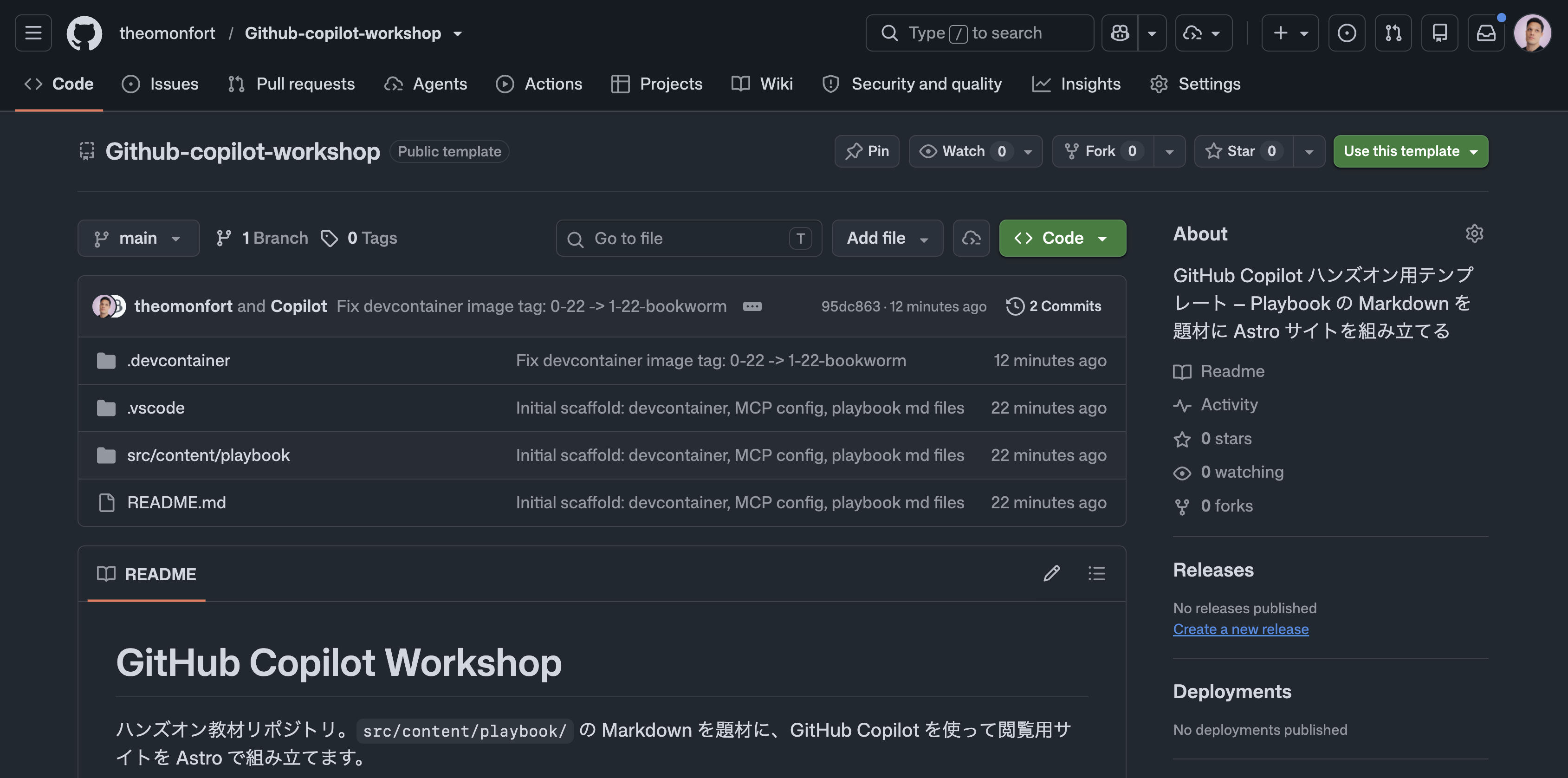
Project URL: https://github.com/theomonfort/Github-copilot-workshop
2.1 — Create your hands-on repository
- Open the project URL in your browser
- Click the Use this template button in the top right and select Create a new repository
-
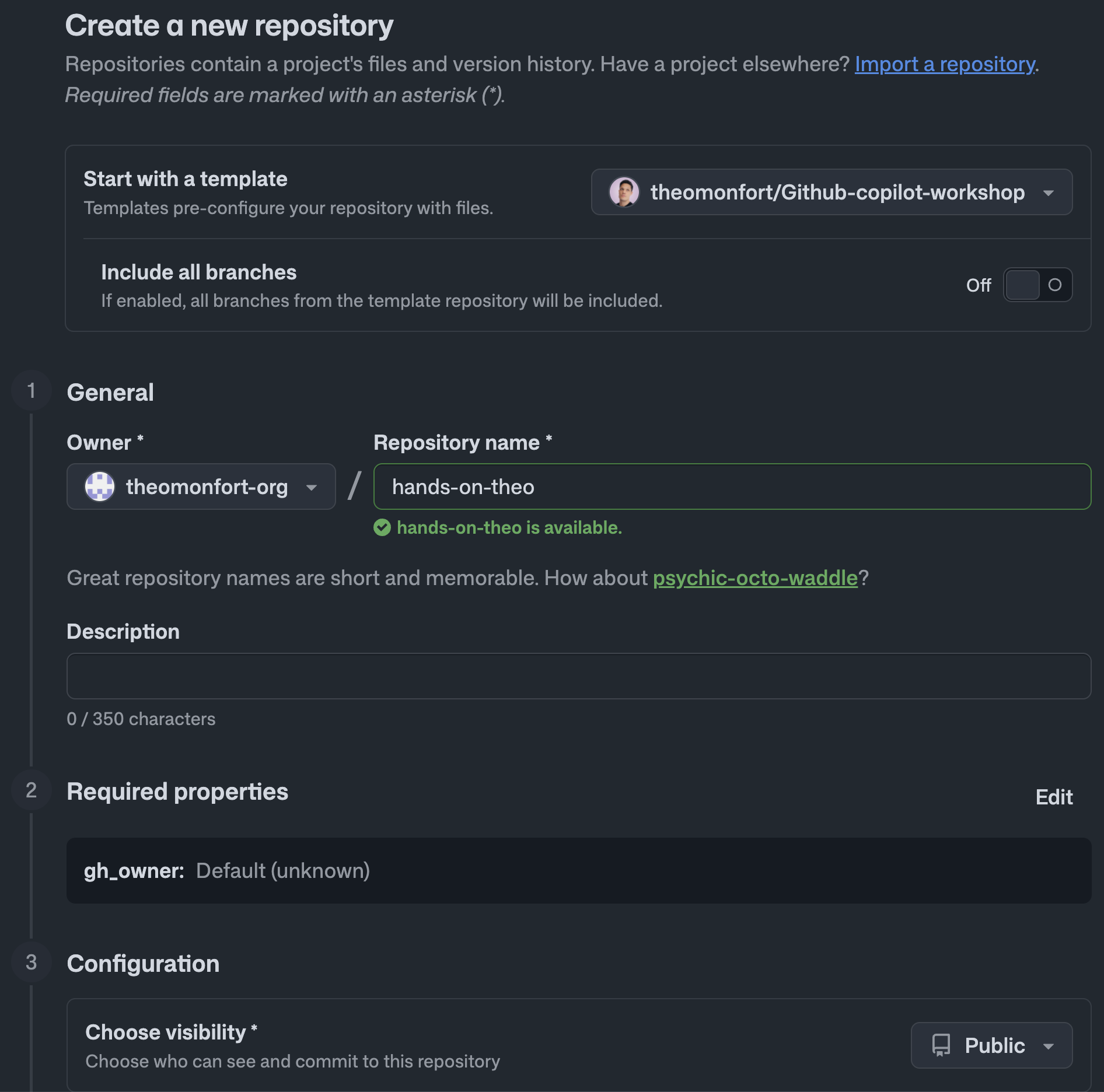
On the repository creation screen, configure the following:
- Owner: select an Organization where you can freely create test repositories (Copilot / Actions / GHAS / Codespaces enabled)
- Repository name: any name you like (e.g.,
hands-on-yourname) - Visibility: select Private
-
Click Create repository
2.2 — Open the repository
Open your newly created repository in a dev environment. Option 1 (Codespaces) is recommended, but if you can't use it, Option 2 (Local) works too.
Option 1: Codespaces (recommended)
- On your newly created repository's page, click the green Code button
- Select the Codespaces tab
- Click Create codespace on main
Option 2: Local
-
Open a terminal in VS Code (menu Terminal → New Terminal, or
Ctrl+`) -
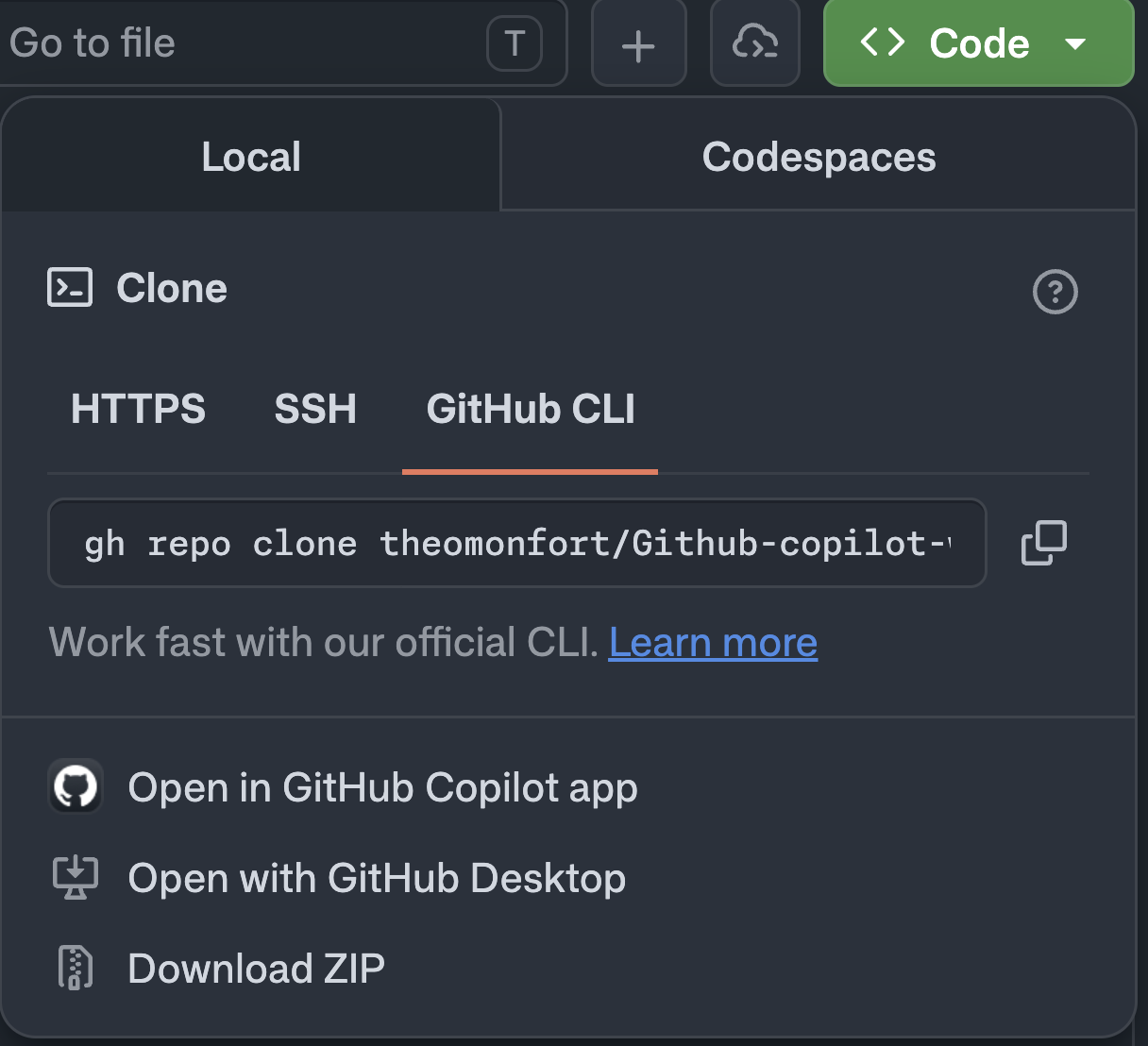
On the repository page, open the green Code button → Local tab → GitHub CLI tab, and copy the clone command
-
Paste it into the terminal to clone the repo locally:
gh repo clone <owner>/<repo-name> -
Open the cloned folder in VS Code:
code -r <repo-name>
Either way, the DevContainer sets up a Node.js 22 environment with the following pre-installed (locally, use a DevContainer-aware setup or install them manually):
- GitHub Copilot & Copilot Chat extensions
- GitHub CLI (
gh) - GitHub MCP Server (
.vscode/mcp.json, auto-discovery enabled) - Copilot CLI (
@github/copilot) - gh-aw (Agentic Workflow CLI)
2.3 — Review the source content
src/content/playbook/ contains several Markdown files about GitHub and Copilot — the material for today's site. Each file's frontmatter defines title / summary / icon / color and an SDLC category (introduction / plan / develop / review / secure / operate, etc.). Assets you can use to build the site — icons and images (such as planet artwork) — are also provided under public/.