
What is an Agentic Workflow?: A mechanism that leverages Copilot inside GitHub Actions workflows to execute autonomous tasks (report generation, documentation updates, code fixes, etc.) in response to repository changes.
14.1 — Verify the Copilot policy and Workflow permissions
Previously you had to create and store a Personal Access Token (PAT) to use Copilot, but it now runs on the built-in GitHub Actions GITHUB_TOKEN, so a PAT is no longer needed. This eliminates the operational and security risks of managing long-lived PATs.
When you run in an organization-owned repository, the AI credits consumed are billed directly to the organization. To use this, verify the following.
Verify the Copilot policy
- In your Organization, go to Settings → Copilot → Policies
- Confirm Allow use of Copilot CLI billed to the organization is enabled (it's on by default if the existing Copilot CLI policy is enabled)
To enable billing to the organization, add copilot-requests: write to the permissions section in your workflow's front matter (it's included in the prompt in 14.3).
Verify Workflow permissions
- Settings → Actions → General
- Check Allow GitHub Actions to create and approve pull requests
14.2 — (If you're not on a Codespace) Install the gh-aw extension
The gh aw command that compiles Agentic Workflows is provided by the GitHub CLI extension gh-aw. The workshop Codespace already has it pre-installed, so you can skip this step. Only if you're working locally and don't have it yet, run:
gh extension install github/gh-aw14.3 — Create a Daily Repo Status workflow
Let's create an Agentic Workflow that automatically reports today's repository activity.
In agent mode, run the following:
Please create the following Agentic Workflow.

File: .github/workflows/daily-repo-status.md

Purpose: Analyze the repository activity (Issues, PRs, code changes) and
automatically create a daily status report as an Issue.

Format:
- Define the configuration in YAML front matter (on, permissions, tools, safe-outputs)
- Describe the workflow instructions in the Markdown body

Configuration:
- Trigger: schedule: daily and workflow_dispatch
- permissions: contents: read, issues: read, pull-requests: read,
  copilot-requests: write (to enable organization billing)
- tools: github (lockdown: false, min-integrity: none)
- safe-outputs: create-issue with title-prefix "[repo-status] ",
  labels: [report, daily-status], close-older-issues: true

Workflow instructions:
1. Collect recent repository activity (Issues, PRs, code changes)
2. Analyze progress and highlights
3. Create the result as a GitHub Issue

Reference: https://github.com/githubnext/agentics/blob/main/workflows/daily-repo-status.md

When done, run `gh aw compile` to compile the workflow, then commit
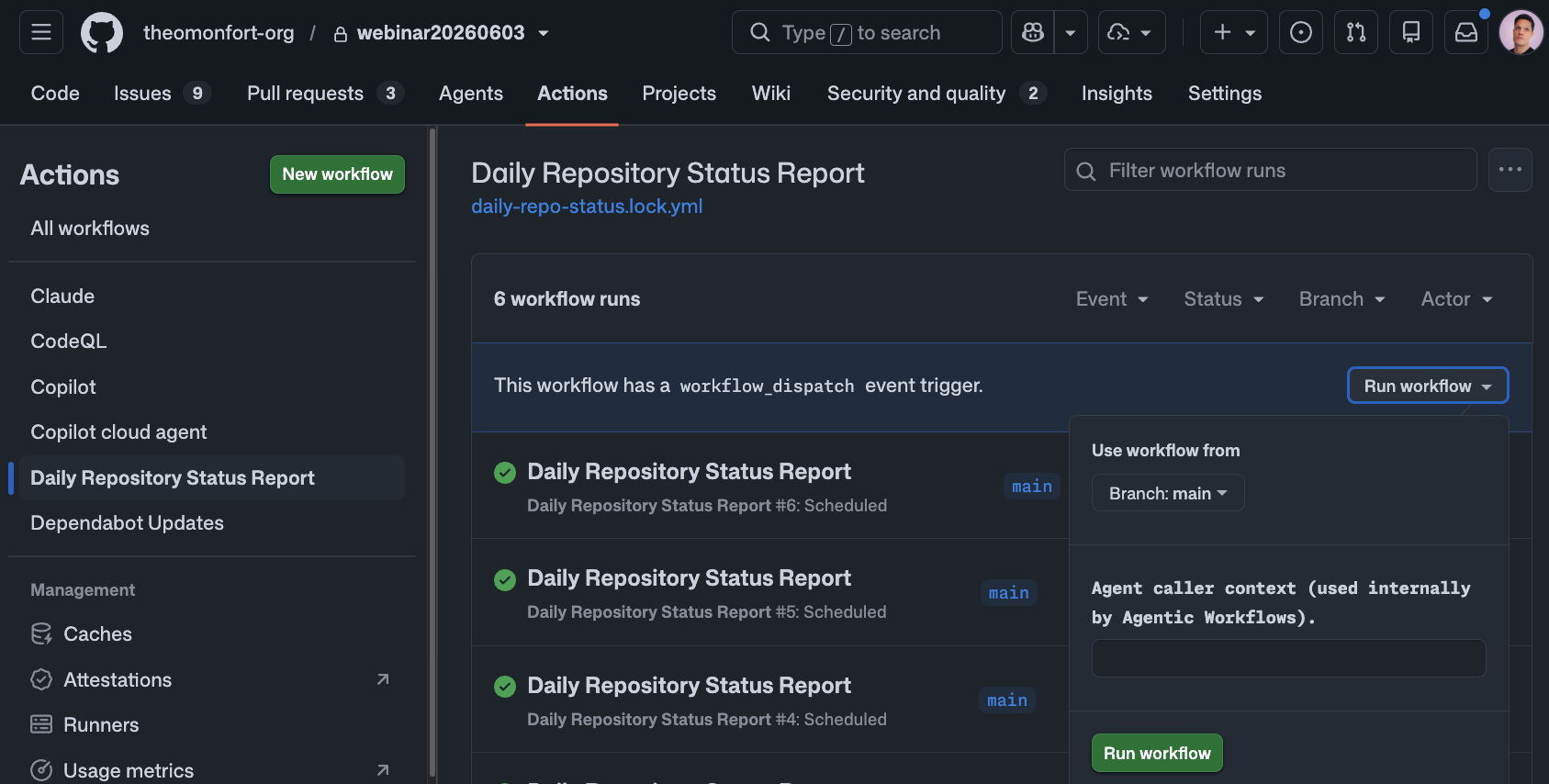
the changes and create a PR.After merging the PR, manually run the workflow from the Actions tab:
- Open the Actions tab of your repository
- Select Daily Repo Status from the left menu
- Click Run workflow → Run workflow
After execution completes (⏱ about 2 minutes), an Issue prefixed with [repo-status] is automatically created in the repository's Issues tab, showing a summary of today's PRs, Issues, and code change activity.